PupilMetrics Research Windows

“PupilMetrics Research” and “PupilMetrics Neuro” implements Professor Bryan K. Marcia’s clinical and historical research protocols.

Core Algorithm Components

  1. Iris Detection
  • Uses grayscale image processing to locate the iris boundary
  • Employs a circle-scoring algorithm that searches for the strongest edge gradient
  • Two-pass detection: coarse search followed by fine refinement
  • Returns center coordinates, radius, and confidence score
  1. Pupil Detection
  • Searches within the inner portion of the detected iris
  • Uses adaptive thresholding based on the darkest 30% of pixels
  • Fits an ellipse to the dark region using covariance matrix eigenvalue decomposition
  • Extracts boundary points by ray-casting from center outward
  • Returns center, major/minor axes, orientation angle, and boundary points
  1. Pupil Boundary Analysis
  • Analyzes 72 boundary points (every 5 degrees) around the pupil edge
  • Calculates deviation from the average radius at each clock position
  • Groups deviations by clock hour (12 zones)
  • Identifies flattenings (inward deviations) and protrusions (outward deviations)
  1. ANW (Autonomic Nerve Wreath) Detection
  • Searches for gradient changes between pupil edge and mid-iris
  • Identifies the collarette boundary
  • Calculates ANW ratio relative to iris diameter
  • Algorithm updates include:
  • SHIFTS (Drawing Out)
    Which zone the collarette bulges toward
    Clinical correlation based on Velhover
  • CONSTRICTIONS (Drawing In) Frontal zone constricted S: Middle-temporal shift. ← Drawing OUT (protrusion), S: Frontal and basal zones are constricted. ← Drawing IN (narrowing) (ML detected 78% of pathological cases!)
    Basal zone constricted
    Combined “Frontal and basal” pattern
    Both in Same Eye
    Correctly reports both when present
    Matches Bexel output format exactly
    What We Now Have:
    ANW Ratio – Bexel and Russian study compatible calculation (25-35% normal)
    ANW Form Type – Regular, Drawn In, Drawn Out
    ANW Asymmetry – Per-sector variance detection
    Zone Constrictions – “Frontal zone constricted” style reporting
    Pattern Correlation – Compare pupil and ANW findings by sector

Key Measurements Produced

ParameterDescriptionNormal Range
P/I RatioPupil diameter as % of iris diameter20-30%
EllipsenessMinor/major axis ratio>95% normal
CircularityHow circular the pupil boundary is>95% normal
DecentralizationPupil center offset from iris center<5% normal
DeformationMaximum boundary deviation<5% normal
ANW RatioAutonomic nerve wreath position25-35% normal
   

Clinical Interpretation Features

Pupil Form Types:

  • Circle – Normal
  • Oval-Vertical – Circulatory cerebral disturbances with danger of hemorrhage
  • Oval-Horizontal – Depressive states, atherosclerosis, asthma predisposition
  • Oval-Diagonal – Urogenital system disturbances
  • Left Oblique Ellipse – Urogenital weakness, possible left side paralysis
  • Unilateral Ellipse – Nervous asthma, bronchus difficulties
  • Ventral Diverging Ellipse – Leg motility issues, nervous system disturbances
  • Frontal Diverging Ellipse – Brain insult risk, anxiety, muscle spasms

Decentration Patterns

  • Frontal – Mental/cerebral issues
  • Basal – Leg motility, nervous system
  • Nasal – Lung pathology (right eye) / Cardiac issues (left eye)
  • Temporal – Nephritis, orchitis, salpingitis
  • Middle-Nasal – Oxygen deficiency, cardiospastic risk
  • Upper-Nasal – Mental disorders, spinal irritation
  • And 8 more NEW machine learning directional patterns…

Zone-Specific Organ Associations

Each of the 8 pupil zones has specific organ associations for:

  • Flattenings – Indicating hypofunction/weakness
  • Protrusions – Indicating hyperfunction/irritation

Historical Velhover Collarette Integration

Shift Pattern
Eye
Clinical Association
Middle-temporal shift
OS (Left)
Left ventricle overload, cardiac
Lower temporal shift
Either
Vena cava inferior hemodynamics
Middle-nasal shift
Either
Vagus/stellate ganglion hypofunction
Basal shift
Either
Pelvic congestion, inflammatory diseases
Upper temporal shift
Either
Vertebro-basilar insufficiency
 
·  Shifts (e.g., “S: Middle-temporal shift.”)
·  Constrictions (e.g., “Frontal zone constricted”)
·  Form Type (Regular, Drawn In, Indented, Lacerated)
·  Ratio Status (Spastic/Normal/Atonic)
·  Asymmetry % with Normal/Pathology label
·  Findings list

Main Application Features

Analysis Screen

  • Real-time eye validation before analysis
  • Progress indicator during processing
  • Displays all measurements with color-coded status
  • Shows organ associations for detected anomalies
  • Full descriptions for Pupil Form and Decentration Patterns

Reports Generated

  1. On-Screen Results – Interactive cards with expandable details
  2. TXT Report – Plain text with results section
  3. JSON Report – Structured data for integration/archival
  4. PDF Report – Professional formatted document with images

Additional Features

  • Age-based pupil size assessment
  • Bilateral comparison between eyes
  • Scan history with database storage
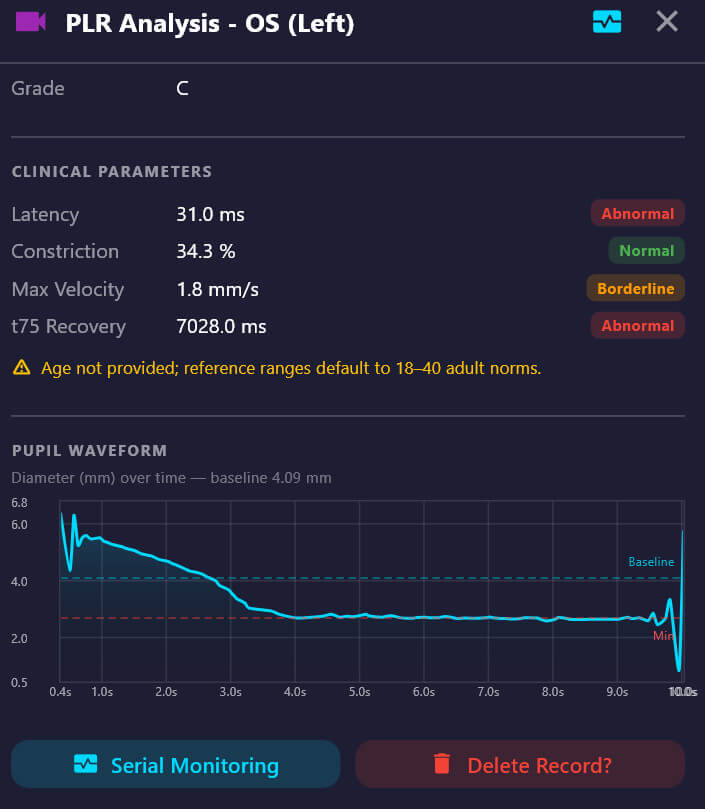
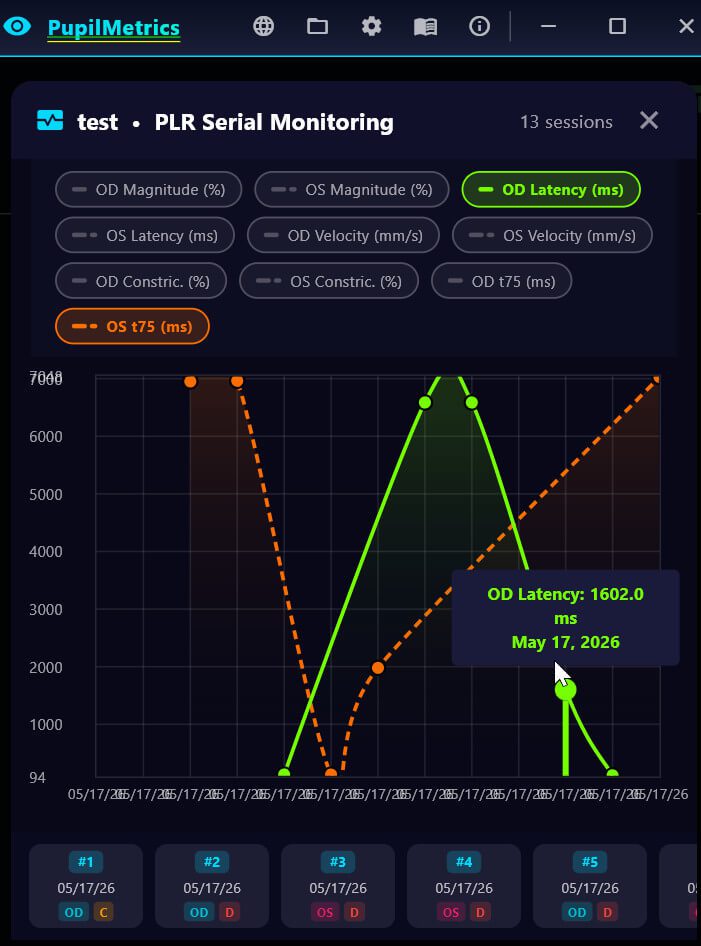
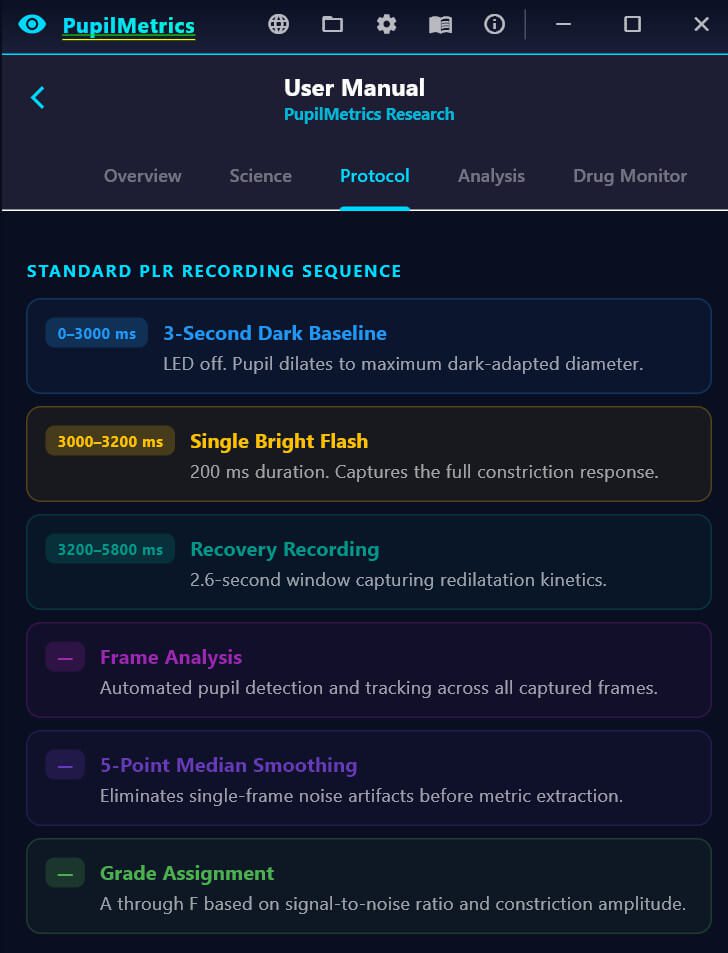
  • PLR (Pupillary Light Reflex) video analysis (Android Version)
  • Anisocoria detection

What’s new in version 5.2

This release brings significant improvements across the board:

  • BMP & TIFF image support — Import uncompressed images directly from Dino-Lite USB
    iriscopes and medical cameras for richer, higher-fidelity pupil-iris analysis.
  • Improved confidence scoring — The hybrid confidence percentage now consistently
    reflects both classical and ML analysis, so you always know exactly how reliable your
    result is.
  • Iris Sign Finder — Tap any zone on the interactive polar map to log structured anomaly
    findings with auto-generated clinical conclusions.
  • 14 languages: EN,ES,PT,DE,FR,IT,KR,JP,RU,PL,TR,ZH,AR,HI — PupilMetrics now auto-detects your system language on first launch.

Download and Install PupilMetrics Windows

PupilMetrics software is certified under the Microsoft Developer Program to ensure trust and safety!

If you run into any other issues during install or have questions about the tool, feel free to reply, we’re here to help! Thanks for using PupilMetrics in your research work!